One Click Webcam Setup
Set up your webcam overlay faster with our pre-set Streamlabs overlay setup. Packages include a .overlay file and webcam overlay assets for quick setup.
One-Time Purchase
$15 Original price was: $15.$8Current price is: $8.
Works with






Product Overview
Industrial metal animated stream overlays with amber accents—includes facecam, bar overlay, and 14 stream labels. Compatible with OBS & Streamlabs (transparent .WEBM + Streamlabs .overlay). These overlays are part of the Metal Stream Package
Forge a heavy-duty broadcast identity with the Metal Animated Overlays package—an industrial design suite built for creators who want a bold, machine-made look. Inspired by brushed steel and tactical UI, this set features metal frame borders, glowing amber/orange accents, and a dark hex-mesh backdrop that fits perfectly with survival, tactical FPS, and heavy metal music streams.
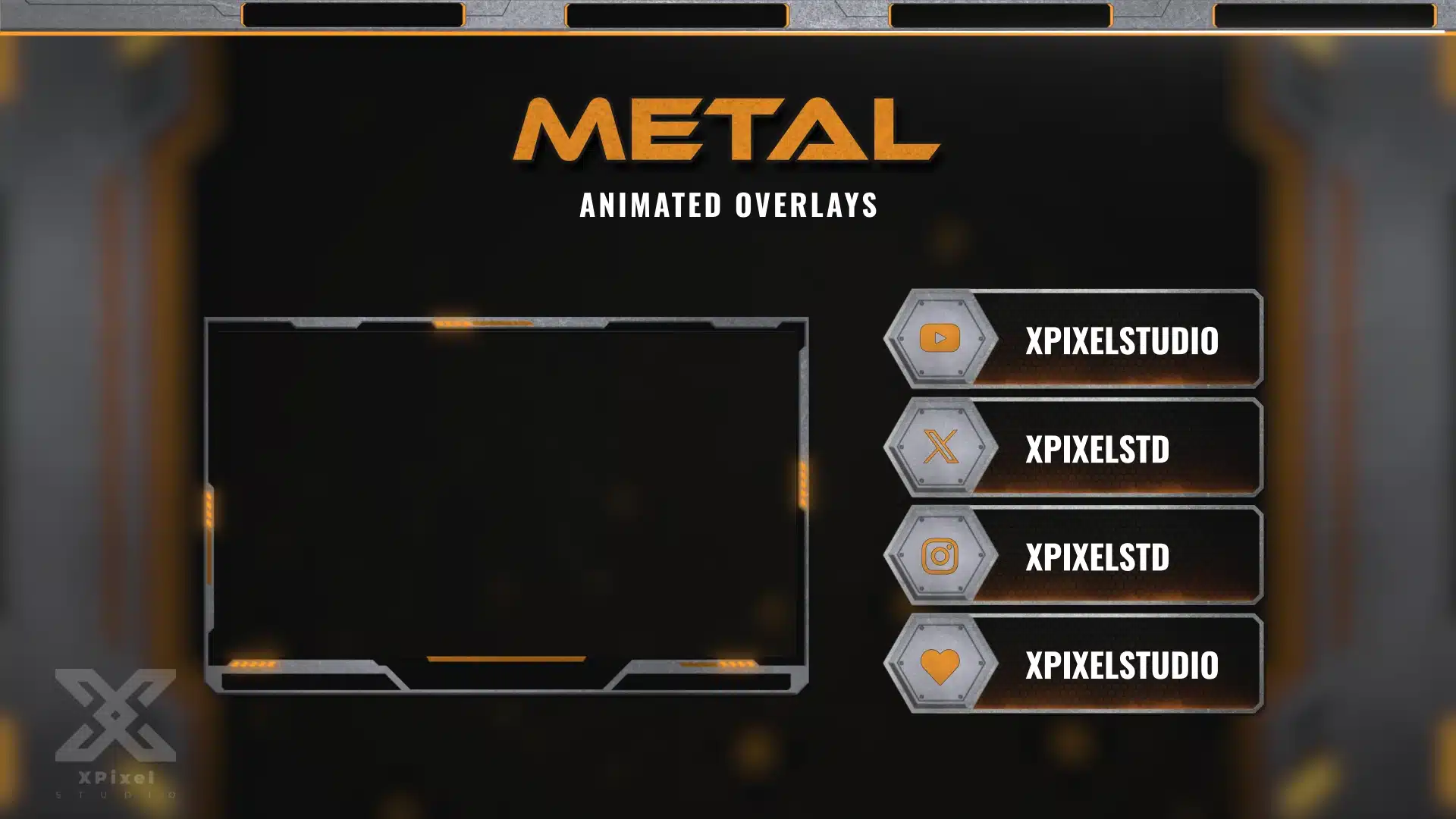
The main preview shows a rugged brushed steel facecam frame with orange corner lights, plus matching metal social/label plates on the right (with hexagonal icon badges and bold handle text). The overall aesthetic is dark, clean, and industrial—designed to look premium without distracting from gameplay.
Fully compatible with OBS Studio and Streamlabs, this overlay package is made for a fast, professional setup and smooth performance.
Key Features
Perfect for streams featuring Rust, Escape from Tarkov, tactical shooters, survival gameplay, mech/industrial themes, and metal music channels.

Set up your webcam overlay faster with our pre-set Streamlabs overlay setup. Packages include a .overlay file and webcam overlay assets for quick setup.

This guide will walk you through the webcam overlay setup and installation process on Streamlabs Desktop.
Sorry, no reviews match your current selections
You Might Also Like
Explore related stream assets including emotes, sub badges, and stream packages designed to help creators build a stronger visual identity.

