Streaming success is not only about talent, consistency, or luck. It is also about using the right tools in the right way.
A lot of creators spend too much time fixing problems manually when better streaming tools could make their channel smoother, more polished, and easier to manage. Others do the opposite. They install too many random apps, bots, overlays, and plugins until the stream becomes cluttered and hard to control.
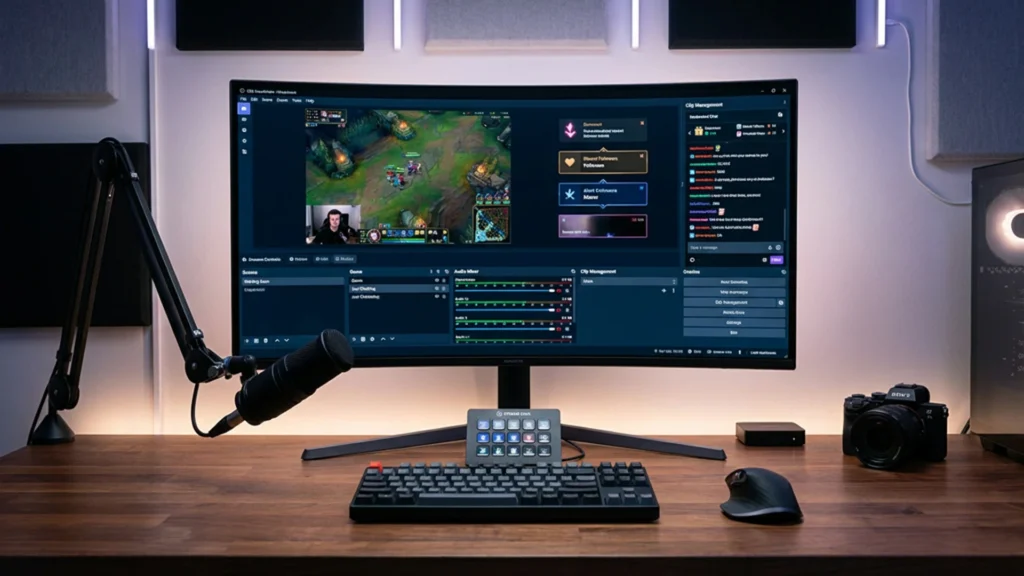
At Xpixel Studio, one pattern shows up often: the channels that feel more established usually are not the ones with the most complicated setup. They are the ones using a smarter combination of tools that support stream quality, branding, workflow, and viewer experience without creating extra chaos.
The best streaming tools are usually the ones that help you:
- broadcast more reliably
- improve audio and visuals
- keep alerts and overlays consistent
- make moderation easier
- create clips and short-form content
- organize your workflow behind the scenes
That is why this article is not just a random list of apps.
This is a practical guide to the best streaming tools and strategies that actually help streamers build a better channel on Twitch, YouTube, or Kick.
Why Streaming Tools Matter More Than Most Streamers Realize
Good tools do more than automate technical tasks.
The best streaming tools help you:
- improve stream quality
- build a cleaner workflow
- save time during setup
- strengthen audience engagement
- make your channel look more polished
- support stronger branding and consistency
That last point matters more than many streamers realize.
A lot of channels do not feel weak because the creator lacks potential. They feel weak because the setup is inconsistent. The overlays do not match the alerts, the scenes feel disorganized, the chat tools are underused, and the creator spends too much time fighting the stream instead of running it.
The right tools reduce that friction. They give you more control, more consistency, and a better viewer experience.
The Top 10 Streaming Tools and Strategies Every Streamer Needs
1. Streaming Software That You Can Actually Control
The first essential tool is your main broadcasting software.
For most streamers, that usually means:
- OBS Studio
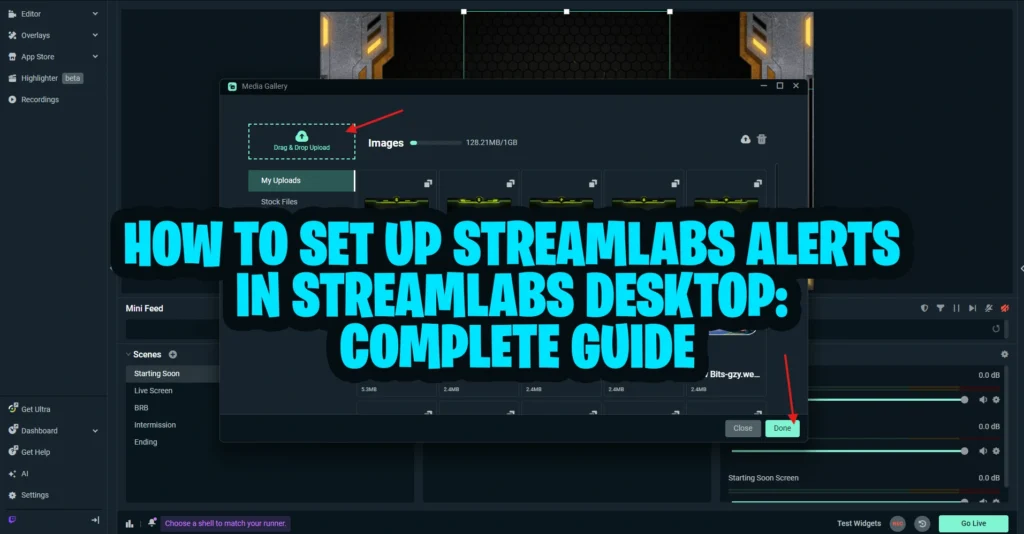
- Streamlabs Desktop
- or another broadcasting platform with scene and source control
Your broadcasting software affects:
- scene switching
- overlays
- alerts
- audio routing
- webcam setup
- source management
- recording and live output
The most important rule here is simple: choose software you can actually manage confidently.
A lot of streamers install too many plugins or build messy scenes before they understand the basics. In most cases, a cleaner workflow with fewer moving parts performs better than an overbuilt setup that is hard to troubleshoot.
If you are still refining your base setup, this OBS Studio setup guide is one of the best places to start. If you want an official reference for the platform itself, the OBS Studio Overview Guide is also useful for understanding the core features before expanding your tool stack.
2. Alerts and Engagement Tools That Match Your Stream Style
Alerts are one of the most visible engagement tools in live streaming.
They help viewers feel noticed when they:
- follow
- subscribe
- donate
- raid
- gift subs
But alert tools are not only about notifications. They are part of how your stream feels in motion.
Poorly matched alerts can interrupt the stream and make the presentation feel random. Well-designed alerts can make viewer actions feel more rewarding and make your content feel more polished at the same time.
That is why the best approach is not just “add alerts.” It is:
use alert tools that fit your brand and support the experience you want viewers to have.
3. Overlay and Scene Tools That Improve Presentation
Not every streaming tool has to be deeply technical. Some of the most important tools are the ones that shape first impressions.
Your overlays, webcam frame, labels, panels, and starting screens all influence whether your channel feels polished or unfinished. Strong presentation tools help you:
- organize the stream visually
- make scenes easier to follow
- reinforce your stream identity
- create a better first impression
- support stronger brand recognition
At Xpixel Studio, this is one of the clearest differences between channels that feel memorable and channels that feel random. The strongest visual tools do not only look good on their own. They fit together.
If your stream still feels visually disconnected, improving your stream branding with consistent graphics usually helps more than adding more random tools.
A cleaner layout, better overlays, and more consistent visuals do not replace strong content, but they often make a stream feel more trustworthy from the first click.
4. Audio Tools That Make You Easier to Listen To
A visually strong stream can still lose viewers quickly if the audio is weak.
That is why audio tools are some of the most important streaming tools you can use. Even basic improvements in sound quality can make a channel feel more professional.
Useful audio tools and features often include:
- noise suppression
- gain control
- limiter filters
- equalization
- compressor filters
- microphone monitoring
- audio routing tools
A common mistake is spending too much time on visual polish while leaving audio untreated. In practice, clear sound often matters more than expensive visuals.
The goal is not studio perfection. The goal is voice clarity, stability, and comfort over longer sessions.
5. Camera and Lighting Tools That Improve Presence
Your stream camera setup is part of your tool stack too.
That includes:
- webcam or camera source
- lighting tools
- mounting setup
- software filters
- framing and scene positioning
A lot of creators blame their camera when the real issue is lighting or setup. Better lighting, better framing, and more stable settings often do more for stream quality than buying a more expensive camera body.
You want your on-camera presence to look:
- clear
- stable
- flattering
- consistent with your stream style
That kind of reliability helps viewers trust the overall quality of the stream.
6. Chat and Community Tools That Keep People Involved
Streaming tools should not only make the stream look better. They should also make the audience feel more involved.
Useful community and chat tools can include:
- chatbot moderation
- automatic responses
- custom commands
- loyalty systems
- polls
- activity goals
- moderation dashboards
- Discord integrations
These tools help streamers create more structure around interaction.
A lot of smaller creators assume community engagement happens naturally, but good tools make it much easier to:
- reward viewer participation
- answer common questions
- reinforce recurring stream habits
- reduce friction in chat
- keep the stream more active
The key is not to automate everything. The key is to support your community, not replace your personality.
7. Short-Form Content and Clip Tools for Discovery
One of the most useful streamer resources today is not live-only at all.
Short-form content tools matter because discovery often happens outside the live stream. Clips, highlights, short edits, and social-ready content give people more chances to discover you before they ever see you live.
Useful tools in this category may help with:
- clipping stream moments
- repurposing livestream content
- creating short-form vertical content
- trimming highlights
- captioning videos
- exporting content for TikTok, Shorts, or Reels
A good clip can do more for growth than an extra hour of low-energy streaming.
That is why streamers should think of clip tools and repurposing tools as part of their growth toolkit, not as optional extras.
8. Free Streaming Tools That Actually Pull Their Weight
Not every useful tool needs to cost money.
A lot of creators make the mistake of assuming expensive tools are automatically better. In reality, there are plenty of free streaming tools that can seriously improve a stream when used well.
Useful free tools often include:
- OBS Studio
- free audio filters
- free chatbot systems
- free thumbnail or graphic editors
- free clip trimming tools
- free design resources
- free planning and workflow tools
The real question is not whether a tool is free. The real question is whether it solves a real problem.
A good free tool is better than a paid tool that adds complexity without improving your stream.
9. Branding Tools That Keep Your Channel Consistent
As streaming tools expand, many creators start collecting assets from too many different places.
That is where branding tools become important.
Branding tools and systems help you keep consistency across:
- overlays
- alerts
- stinger transitions
- scene screens
- emotes
- subscriber badges
- social graphics
- banners and panels
This is one of the most important bridges between tools and trust. When your assets feel connected, your channel becomes easier to recognize and easier to remember.
That is why a full stream package or a consistent set of stream graphics often works better than patching together unrelated assets one by one.
For example, a cozy creator will usually get better long-term results from a soft, unified visual system than from mixing aggressive esports overlays, cartoon emotes, and unrelated alert styles.
10. Workflow Tools That Save Time and Reduce Chaos
A lot of creators focus only on what appears on screen, but workflow tools matter just as much.
Useful behind-the-scenes tools can help with:
- content planning
- task management
- stream scheduling
- title and topic planning
- collaboration notes
- asset organization
- idea capture
- clip tracking
These tools may not be visible to viewers, but they often make the biggest difference in consistency.
A streamer with a clean planning system is usually better able to:
- stay consistent
- avoid last-minute stress
- create stronger recurring content
- improve over time
- maintain better energy on stream
Good streaming tools do not only improve the stream itself. They improve the creator’s ability to show up well again and again.
How to Choose the Best Streaming Tools for Your Channel
The best streaming tools are not the ones with the most features. They are the ones that match your actual needs.
Ask yourself:
What problem am I trying to solve?
Do you need better audio, better visuals, easier moderation, better workflow, or stronger branding?
Does this tool improve clarity or add clutter?
Many streamers install tools that make the setup harder to manage.
Does it fit my content and audience?
A cozy streamer and a competitive FPS streamer will not need the same combination of tools.
Will this tool still help after a month?
Some tools feel exciting at first but add no long-term value.
Does it support consistency?
The best tools usually make your stream easier to repeat reliably.
That last point matters most. A strong tool stack should make your channel feel more stable, more polished, and easier to maintain.
Common Mistakes Streamers Make With Tools
Even useful tools can create problems if they are used badly.
Installing Too Many Tools at Once
This usually creates confusion instead of improvement.
Choosing Tools for Hype Instead of Need
A trendy tool is not helpful if it does not solve a real problem in your workflow.
Ignoring Presentation Consistency
Overlays, alerts, screens, and graphics should not feel like random pieces from different worlds.
Over-Automating the Stream
Tools should support your personality, not replace it.
Forgetting the Viewer Experience
A tool that impresses the streamer but distracts the viewer is usually not a good choice.
Neglecting Free Tools
Many free streamer tools are already strong enough to improve quality without adding unnecessary cost.
Best Practices for Building a Better Streaming Tool Stack
If you want a simpler framework, start here:
- master your broadcasting software
- improve audio before chasing more visual extras
- make your overlays and alerts feel consistent
- use chat tools to support community, not replace it
- create clips and short-form content from your streams
- use free tools when they already solve the problem well
- organize your workflow behind the scenes
These basics usually matter more than adding more tools for the sake of it.
Final Thoughts
The best streaming tools are not the ones that make your setup look complicated. They are the ones that make your channel easier to run, easier to watch, and easier to remember.
A stronger tool stack usually leads to:
- smoother streams
- better presentation
- stronger viewer experience
- more consistency
- less creator stress
If you want better results, do not just collect more apps and resources.
Choose tools that support your content, your workflow, and your brand. That is what actually makes them valuable.
FAQ
What are the most important streaming tools for beginners?
The most important streaming tools for beginners usually include broadcasting software, audio filters, camera and lighting setup tools, basic alerts, and simple chat moderation tools.
Are free streaming tools good enough?
Yes. Many free streaming tools are strong enough for both beginner and intermediate streamers, especially if they solve a real workflow or quality problem.
What tools do Twitch streamers need most?
Twitch streamers usually need tools for broadcasting, audio, overlays, alerts, moderation, clips, and scheduling. The best setup depends on the creator’s niche and workflow.
Do stream overlays count as streaming tools?
Yes. Stream overlays are visual presentation tools that affect branding, clarity, and viewer experience during live sessions.
How do I choose the best streaming tools?
Choose streaming tools based on your actual problems, your content type, your audience, and whether the tool helps create a cleaner and more consistent stream.